Tuft Updates 2026: Every New Feature So Far
Last updated:
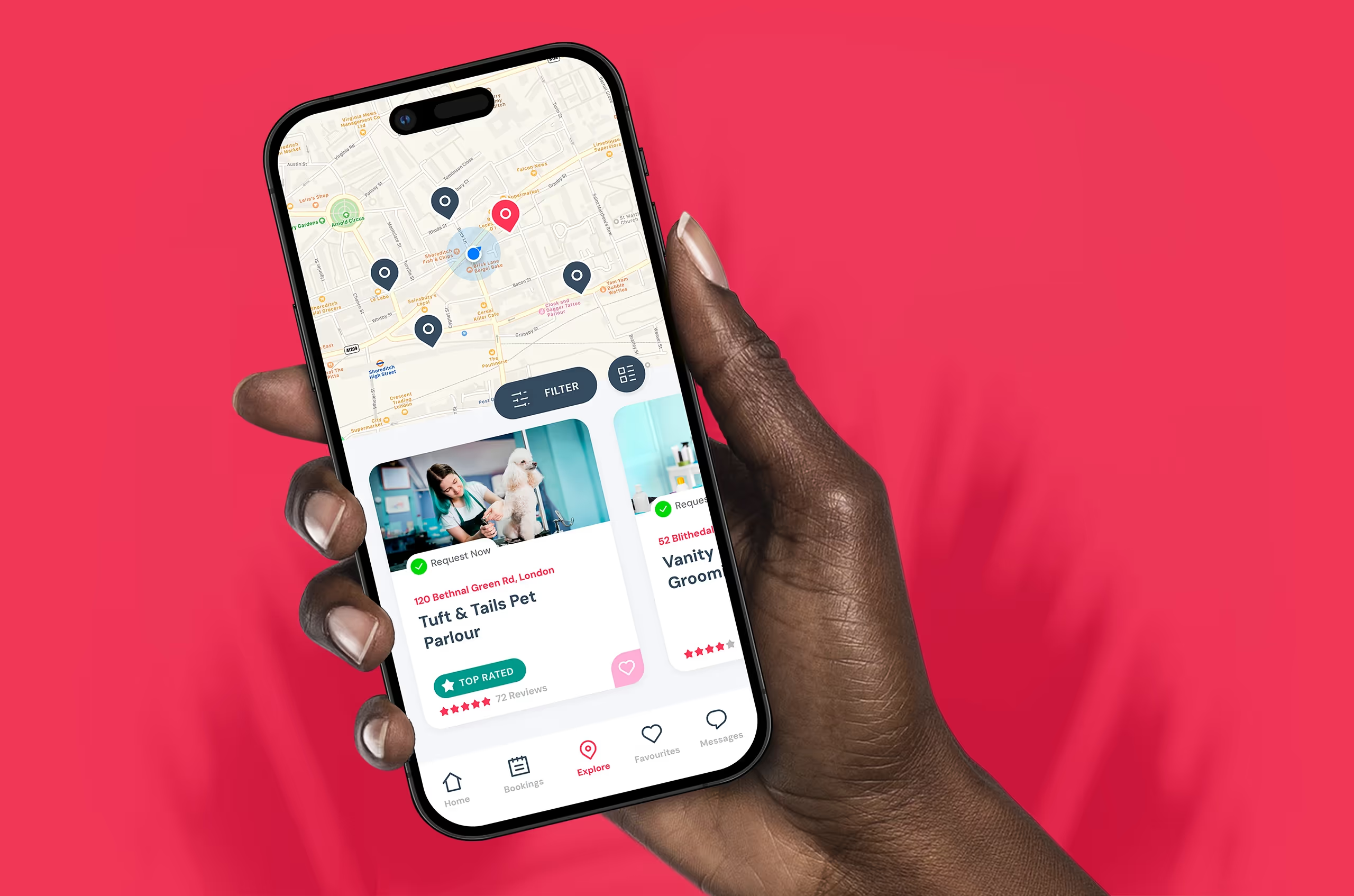
Tuft Updates 2026: Everything That’s New So Far
Here are all the Tuft updates from 2026 so far. We ship regularly, which is great. But it also means features can quietly land without you noticing. So here’s a full run-through of everything we’ve added, improved, and fixed at Tuft HQ since January 2026, month by month.
What’s new in Tuft 2026?
Cards on File, email notifications for all plans, faster performance across the app, a YouTube support library, manual booking confirmation links, Ryft balance reporting, Essential plan mobile access, the Settle Now payment tool, and a stack of quality-of-life improvements for groomers and pet owners alike.
The May PupDate
A shorter update this month, but the features are solid. Here’s what landed in May.
Manual Booking Confirmation Links
Got clients who don’t use the Tuft app? Now when you add a booking manually, you can send them a confirmation link. They accept your terms and conditions, save a card, and you get the confirmation straight back. No chasing, no no-shows, just a secured booking. It works for your whole client base, not just the app users.
Improved Dashboard Speed
We’ve done a lot of work under the hood this month. The app is faster, smoother, and more responsive across the board. Nothing flashy to show you, just a noticeably quicker experience every time you use it. Because nobody wants to wait around when there’s dogs to groom.
Tuft Is Now on YouTube
We’ve launched a video support library on YouTube, packed with walkthroughs to help you get the most out of Tuft. Whether you’re just getting started or want to dig deeper into a specific feature, it’s all there whenever you need it. No more hunting through help articles if a video works better for you.
The April PupDate
Spring shedding season means your calendar’s full and your hands are busy. Here’s what went live in April to take a bit of the admin off your plate.
Ryft Balance in Reporting
You can now check your Ryft balance, including pending, cleared, and available funds, right from the Reporting section in your Tuft dashboard. No need to jump between apps to work out where your money is.
Payment Preference on Booking Cards
Your client’s preferred payment method now shows at the top of the payment section on every booking card. Cash, card, link, whatever they’ve set. It’s right there before you even have to think about it.
Booking History Source Labels
Your booking history now clearly shows whether an appointment was created by you or booked by your client through the app. So you always know exactly how it came in, which is useful for spotting patterns and staying on top of your calendar.
Pet Owners App Improvements
We’ve also been making improvements on the pet owner side of the app. A better experience for them means smoother bookings, fewer back-and-forth messages, and happier clients coming through your door.
The March PupDate
March was a meaty one. Several features that groomers have been asking for, plus some solid performance work across the whole platform.
Client Payment Preferences
Clients can now set their preferred payment method, cash, card, SMS link, or in-app, and you’ll see it on their profile. No more guessing, no more “how are you paying?” at the end of every appointment. It’s just useful context, sitting there when you need it. Nothing changes on your end.
Essential Plan: Mobile App Login
Big one for Essential users. You can now log in to the Tuft mobile app and manage your business on the go. Full access, all in one place, no matter which plan you’re on.
Settle Now
The quickest way to clear an outstanding balance. Click any booking, see if there’s an amount due, and hit Settle Now to record the payment. Cash, card, SMS payment link, or in-app notification, it’s all there in a couple of taps.
Speed Improvements
Nobody likes waiting. So we’ve sped up the entire Tuft system, whether you’re on the app, the web, or switching between the two. Faster loading, snappier responses, less friction.
Price Revision Tool
Need to adjust what a client is being charged? Whether that’s adding an extra, applying a discount, or correcting a mistake, the Price Revision tool is now much easier to use and harder to get wrong. Fewer taps, clearer options, less chance of an awkward billing moment.
The January PupDate
We kicked off 2026 with one of the most-requested features we’ve ever shipped. Happy New Year indeed.
Email Notifications for Everyone
Every single one of your clients now gets an email notification, regardless of which Tuft plan you’re on. On top of the SMS or in-app notifications they were already getting. More ways for your clients to get reminded means fewer no-shows and fewer “I completely forgot!” messages on the day.
Beyond the Tuft updates: the numbers
While we’re at it, here’s a reminder of what Tuft is already doing for groomers across the UK.
Tuft updates: frequently asked questions
Does Tuft have Cards on File?
Yes. Cards on File launched in April 2026 and lets you store a client’s card securely. If they don’t show up, you can charge the agreed no-show fee straight away. No awkward messages, no chasing. It’s available from your Finance tab.
Is Tuft available as a mobile app?
Yes. The Tuft app is available for both groomers and pet owners. From March 2026, Essential plan users can also log in to the mobile app and manage their business on the go.
Does Tuft send email notifications to clients?
Yes, and it’s been available to all plans since January 2026. Every client receives an email notification alongside SMS or in-app notifications, regardless of which Tuft plan you’re on.
Can clients set a preferred payment method in Tuft?
Yes. Since March 2026, clients can set their preferred payment method (cash, card, SMS link, or in-app) and you’ll see it on their profile when you open a booking. It’s just useful context, nothing changes on your end.
Can I use Tuft with clients who aren’t on the app?
Absolutely. You can add bookings manually for any client. From Aug 2026, you can also send them a confirmation link so they can accept your terms and conditions and save a card, even if they’ve never downloaded the Tuft app.
Does Tuft have a free plan?
Yes. The Essential plan is free forever with no booking caps, no time limit, and no card required to sign up. Paid plans (Pro and Pro Multi) start from £27.50/month and include a 14-day free trial, also with no card required.
How often does Tuft release new features?
We ship monthly PupDates with new features, improvements, and fixes. This page is updated every month to keep you across everything that’s new.
Not on Tuft yet?
Join thousands of UK groomers who’ve ditched the admin. Free forever on Essential, or try Pro free for 14 days. No card needed.
See Plans and Pricing