What’s New in Tuft: Tuft Protect, Existing Clients Only and More
The short answer
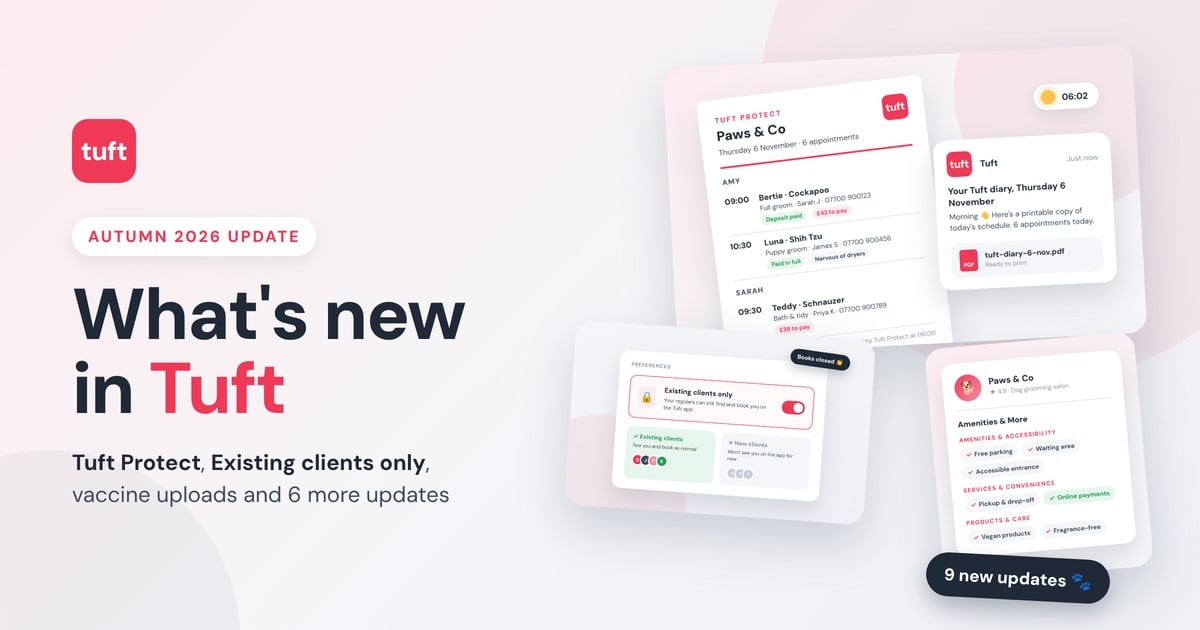
Tuft has nine new updates for groomers this autumn. The big ones are Tuft Protect, a printable copy of your day’s diary emailed to you every working morning for £2.99 a month, and Existing clients only, which closes your books to new clients without hiding you from your regulars. There’s also vaccine record uploads, Amenities & More on your profile, and a handful of pet profile upgrades.
Most of them started as feedback from groomers like you.
What’s New in Tuft This Autumn?
We’ve been busy. Over the last few releases we’ve shipped nine updates to Tuft, and loads of them started life as an email or a support chat from a groomer. Some are big (hello, paper diary backup). Some are tiny but you’ll use them every day.
Here’s the lot, with where to find each one.
9
new updates
6am
your daily diary lands
£2.99
a month for Tuft Protect
83,000+
pet owners on the app
Tuft Protect: Your Digital Diary, With a Paper Backup
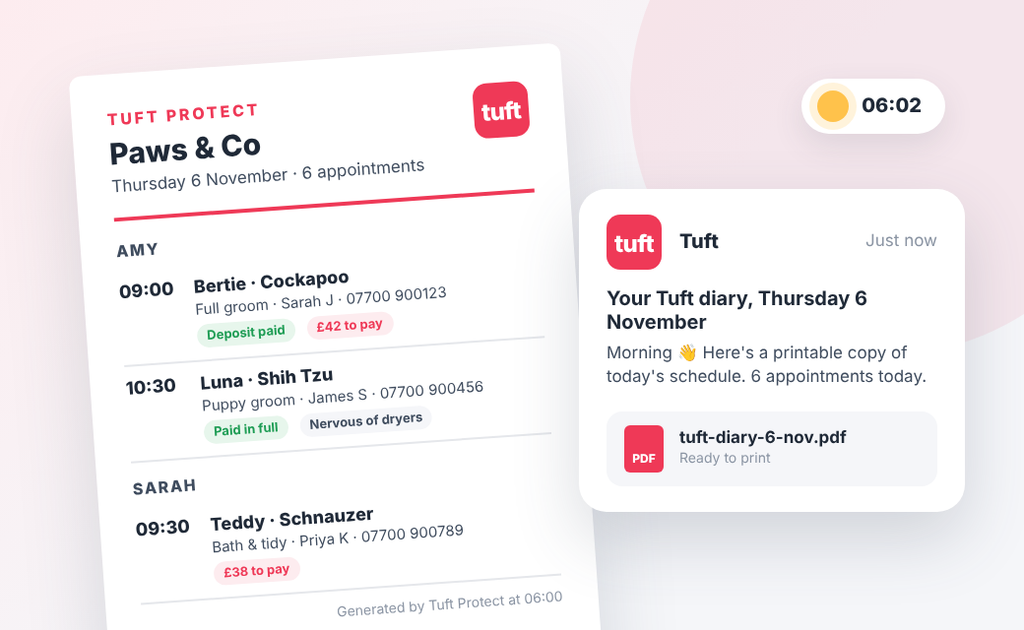
Every working morning, before you’ve even put the kettle on, Tuft Protect emails you a printable PDF of that day’s diary. Your Tuft diary keeps doing exactly what it always does. Protect just means there’s a copy sitting in your inbox too.
New Power-Up: £2.99 a month
If your phone dies, the Wi-Fi drops or you can’t get into Tuft for any reason, you still know exactly who’s coming in and when.
It’s available on every plan, including our free Essential plan.
What’s in the daily diary:
- Appointment start and end times, services and booking numbers
- Pet names, breeds and the notes you actually need on the day
- Client names and phone numbers
- Booking value, what’s been paid and what’s still owed (no card details, ever)
How it works:
- Add Tuft Protect to your account for £2.99 a month.
- Between 6am and 7am on any day you’ve got bookings, your diary lands in your inbox as a PDF. No bookings that day? No email.
- Print it, save it to your phone, or just leave it there. Either way, your day’s covered.
Running a team? You’ll get one PDF with everyone’s appointments, grouped by groomer, sent to the main account email. Print it for the wall or forward each groomer their bit.
Never start the day without your diary
Add Tuft Protect for £2.99 a month and get tomorrow’s diary in your inbox before you’ve had your first coffee.
Existing Clients Only: Close Your Books, Keep Your Regulars
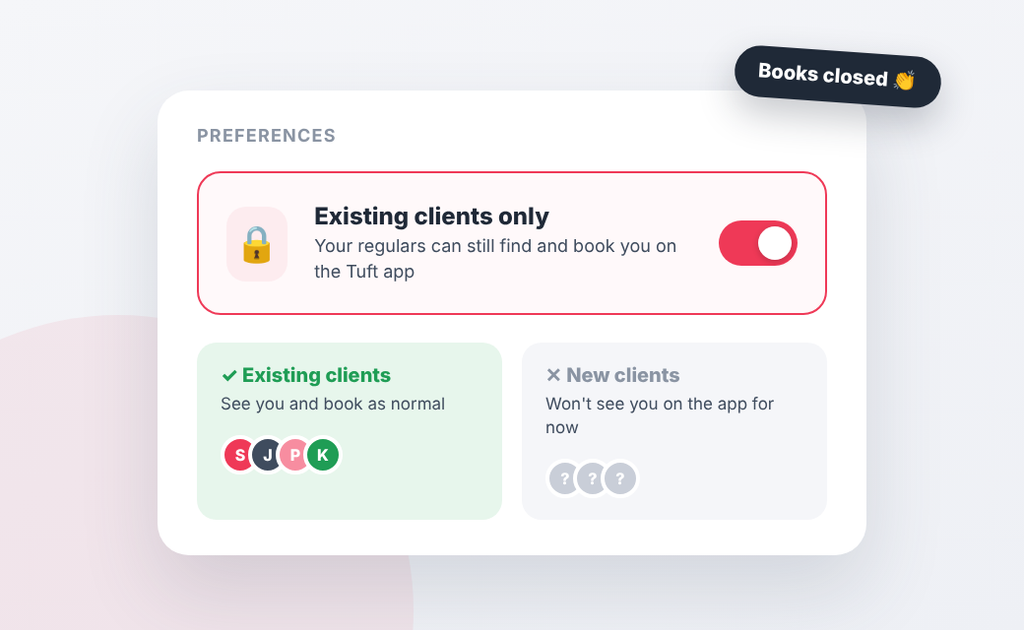
Fully booked? Happy with your client list? Until now, if you wanted to stop new enquiries from the Tuft app, the only option was switching off your app visibility altogether. Which meant your regulars couldn’t find you either. Not ideal.
Existing clients only fixes that. Switch it on and new pet owners won’t see you on the Tuft app, but every client already on your books can still find you and book in as normal. We match them by phone number, so they won’t notice a thing.
- Head to Preferences in Tuft.
- Find Existing clients only.
- Switch it on and confirm. Your books are closed.
Had a run of cancellations or got a new groomer starting? Switch it off again and you’re back in front of the 83,000+ pet owners using the Tuft app.
Amenities & More: Help Owners Choose You
Free parking? Waiting area? Vegan or fragrance-free shampoo for the sensitive ones? These are exactly the things pet owners want to know before they book, and now they can see them on your Tuft profile.
Go to Settings > General settings, scroll to Amenities & More (just under Gallery) and tick what applies.
| Group | What you can tick |
| Amenities & accessibility | Free parking, air conditioning, waiting area, accessible entrance |
| Services & convenience | Pickup & drop-off, pet shop or supplies, online payments |
| Products & care | Natural, vegan, sensitive-skin and fragrance-free products |
About “Online payments available”
You can’t tick this one yourself. It shows on your profile automatically once you’re taking payments through Tuft. If it’s locked, switching on online payments unlocks it, and it’s a nice signal for owners who’d rather pay up front.
Small extra while we were in there: the photo heading inside your Gallery card now says Profile photos, so it’s clearer what those six photos are for.
Vaccine Records, Sorted
No more scrolling back through texts for a blurry photo of a vet card. You can now attach proof of vaccination right under the vaccine date on a pet’s profile.
- You can upload it from the pet’s profile on the web dashboard.
- Owners can upload it themselves from their pet’s profile in the Tuft app. Less chasing for you.
- PDFs or photos are fine, up to 10 MB, one record per pet.
If the owner uploaded the record, you can view it but not change or delete it, so it stays exactly as they sent it. If you uploaded it, either of you can replace it when the next vaccinations come round.
Special Prices Now Update Upcoming Bookings
This one came straight from your feedback. Before, if you changed a pet’s special price, it only applied to new bookings. Anything already in the diary kept the old price, which caught plenty of people out.
Now, when you add or change a special price and save the pet, Tuft asks if you’d like to apply the new price to all their upcoming bookings. Say yes and every future booking for that service updates in one go. Say no and they stay as they are.
Good to know
Only that pet’s upcoming bookings change.
Past, cancelled and no-show bookings are left alone, as are bookings with a payment request already sent. Collected deposits and tips don’t change. And removing a special price won’t switch existing bookings back to your standard price.
Three New Bits on Every Pet Profile
Grooming cycles
Note how often each pet should be back: every 2, 4, 6, 8 or 12 weeks, or every 6 months. Handy when you’re rebooking at the end of a groom and can’t remember if Bertie’s a six-weeker or an eight-weeker.
Pet weight
There’s now a weight field (in kg) on each pet’s profile, on web and in the app. It’s optional, and there’s an “unknown” box for the owners who just shrug when you ask.
Flea flag
Think a pet might have fleas? Flag it on their profile and it shows on their calendar card too, so you’re never caught out on the day. It’s a heads-up only, it won’t block or change any bookings.
Copy Icons for Quicker Help
Booking IDs and other key details on the web dashboard now have a little copy icon. Need a hand from our support team? Copy it, paste it into your message, and we can find the booking straight away. We already reply in around 4 minutes on average, 6 days a week. This just makes it quicker still.
Every Update at a Glance
| Update | Where to find it | What it saves you |
| Tuft Protect | Add it as a Power-Up (£2.99/month) | Panic if you can’t get into Tuft |
| Existing clients only | Preferences | Turning away new enquiries one by one |
| Amenities & More | Settings > General settings | “Is there parking?” messages |
| Vaccine records | Pet profile, under vaccine date | Chasing owners for paperwork |
| Special prices | Pet profile > Special prices | Editing future bookings one at a time |
| Grooming cycles | Pet profile | Guessing when a pet’s due back |
| Pet weight | Pet profile | Scribbled notes |
| Flea flag | Pet profile and calendar card | Nasty surprises on the table |
| Copy icons | Web dashboard | Typing out booking IDs for support |
All updates are live now. App features need the latest version of the Tuft app.
New Tuft Features: Your Questions Answered
Is Tuft Protect included in my plan?
No, it’s an optional Power-Up at £2.99 a month. You can add it on any plan, including our free Essential plan.
Will Tuft Protect email me on days I’m not working?
No. You only get an email on days you’ve got appointments booked. No bookings, no email.
If I switch on Existing clients only, can my regulars still book me?
Yes. Anyone already in your client list can still find you and book on the Tuft app as normal. Only new pet owners won’t see you. We match existing clients by phone number, so it’s worth checking their numbers are up to date in Tuft.
Can I edit a vaccine record a pet owner uploaded?
You can view it, but only the owner can replace or delete it. If you uploaded the record yourself, you and the owner can both replace it.
What happens to upcoming bookings if I remove a special price?
Nothing. Existing bookings keep the price they already have. They won’t switch back to your standard price automatically.
Do I need to update the app to get these features?
For the app features, yes. Make sure you’re on the latest version from the App Store or Google Play. Everything on the web dashboard is there next time you log in.