How do I edit a service?
Last updated: February 19, 2026
Navigate to the services tab in your system, you’ll see all your services listed in a table.
One of the columns in this table is called “Actions”, it looks like this:
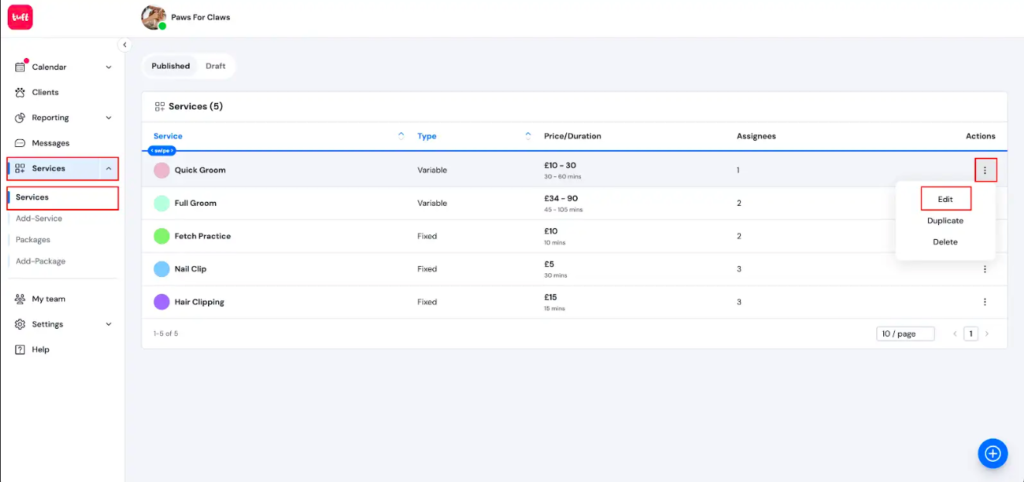
Click the ‘Edit’ button. The service box will pop up and you can edit your service from here. Remember to click “Publish Service” to save the changes and reflect them on your profile in the app.